
Letters That Move to the Beat: Typography for Lyric Videos and Cover Art
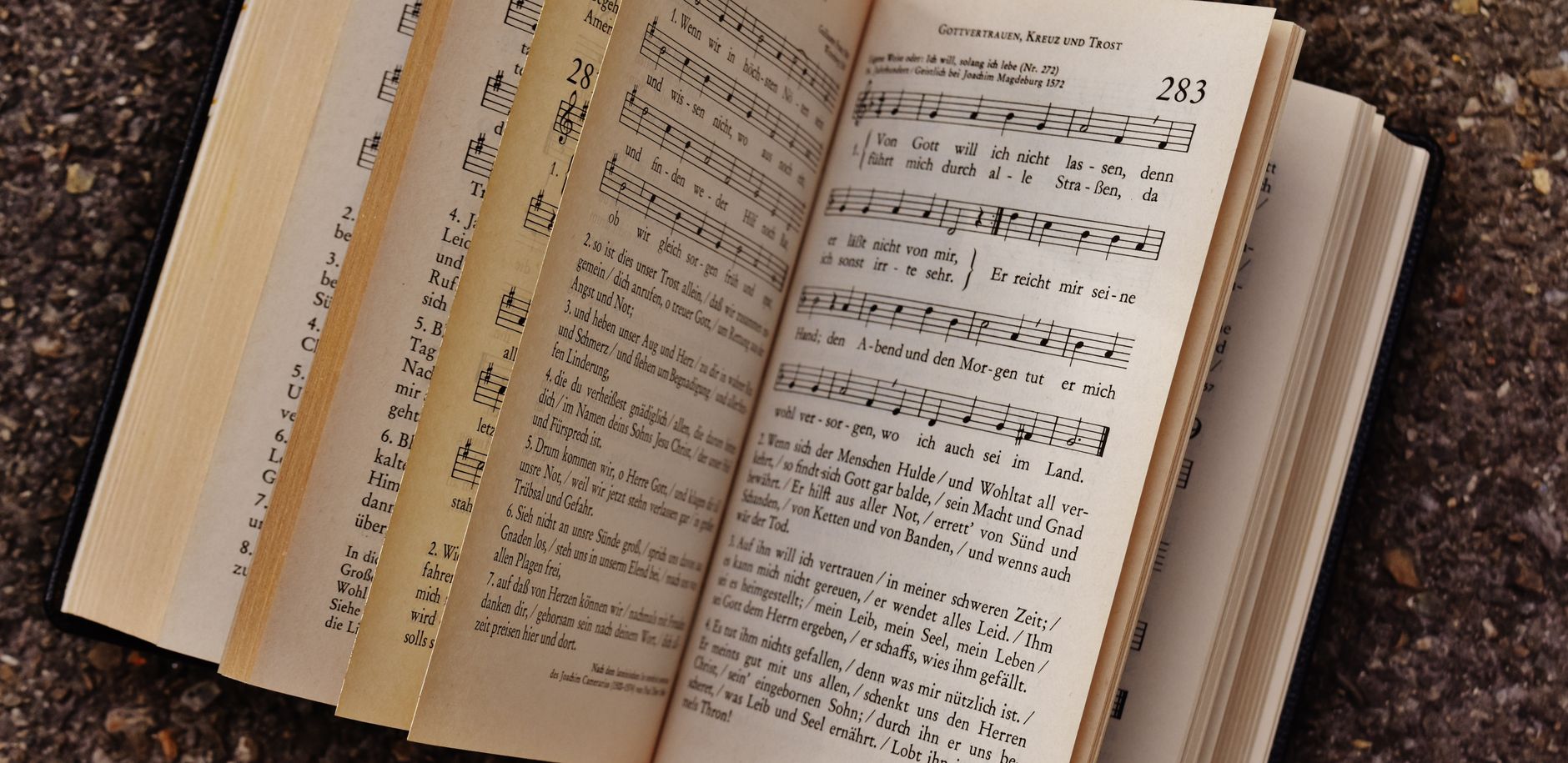
Type designers like to say that every typeface has a voice. A heavy slab serif shouts, a hairline script whispers, and a rounded geometric sans sounds friendly before you have read a single word. Nowhere is that idea more literal than in music graphics, where letters share the stage with an actual voice and have to keep up with it.
Lyric videos and single covers have become a standard part of releasing music, even for bedroom artists and hobbyists. The craft of matching letterforms to sound is surprisingly specific, and it starts earlier than most people think: with the song itself. If you draft the lyrics and hear them performed before you open a design app, every typographic decision gets easier. Tools like Nafy, an AI music creator, make that possible for people who have lyrics but no band, which means designers can now build visuals around a real track instead of an imagined one.
Listen before you letter
The single biggest mistake in lyric typography is choosing a font before hearing the music. A typeface that looks elegant on a mood board can feel absurd against a distorted guitar riff. So the workflow should begin with audio.
If you are writing the song yourself, Nafy's lyrics to song AI turns written lines into a track with vocals, rhythm and arrangement. Drop in your lines, leaving section tags like chorus or bridge in place when the shape is already decided, and explain in everyday words what style, mood, pace and kind of vocal you imagine. After listening, you can adjust the words or the style notes and generate another version. For a designer, that loop is valuable twice over: it shows which lines are strong enough to become visual hooks, and it reveals the pacing that the animation will have to follow.
As you listen, make notes on three things:
- Energy curve. Where does the song build, drop and resolve? Those moments call for typographic contrast.
- Repeated phrases. Choruses and refrains are natural candidates for a consistent, recognizable treatment.
- Vocal texture. Is the singing breathy, clipped, soaring or rhythmic? That texture can guide weight, width and spacing.
Matching typefaces to musical character
There are no fixed rules, but some pairings tend to feel right:
Acoustic and folk often suit humanist serifs or warm, slightly irregular hand-drawn lettering. Visible texture echoes the sound of fingers on strings.
Electronic and synth-pop pair naturally with geometric sans serifs, monospaced faces and wide extended styles. Clean construction reflects programmed precision.
Hip-hop and rap reward condensed, bold sans serifs that can hold a lot of words in a tight space, since verses are dense and fast.
Ballads and cinematic pieces give room for high-contrast display serifs and generous letter spacing, which slow the eye to match the tempo.
Punk and rock invite distressed, stencil or deliberately rough letterforms, as long as legibility survives.
Variable fonts deserve a special mention. Because weight or width can be animated smoothly along an axis, a word can swell as the singer holds a note or tighten on a staccato line. Used sparingly, that effect makes text feel like part of the performance.
Legibility rules for moving type
A lyric video is read at the speed of the song, not the speed of the reader. That changes the priorities.
- Keep line length short. Four to seven words per screen is a comfortable target. Long lines force viewers to choose between reading and watching.
- Respect the safe area. Social platforms overlay buttons and captions near the edges, so keep important words toward the center of the frame.
- Use contrast generously. Light text on a busy photograph needs an outline, a shadow or a semi-transparent panel behind it.
- Time text slightly early. Words that show up a beat ahead of the vocal feel natural. Words that arrive late feel like a mistake.
- Limit families. One display face for hooks and one workhorse face for verses is usually plenty. More than that turns the screen into noise.
Designing the cover
A single cover is a lyric video frozen into one image. It has to communicate genre and mood at thumbnail size, often smaller than a postage stamp on a phone screen. Test your title at that scale early. Thin strokes vanish, tight tracking turns into a smudge, and decorative scripts become unreadable.
Many strong covers pull a short phrase straight from the chorus and set it as the main visual element. If you generated the song from your own lyrics, you already know which line listeners will remember, so let that line lead. Pair it with a restrained artist name in a supporting face, and resist the urge to fill every corner.
Licensing and courtesy
Fonts are software, and their licenses vary. A typeface that is free for personal use may require a commercial license for a released single or a monetized video. Read the license before release, and note the source of every font you use. If your visuals include photographs of real people, such as a bandmate or a friend featured on the cover, get their permission first, and make sure any photographer is credited according to the agreement you made.
A simple workflow to try this week
- Draft one verse plus a hook, however rough.
- Generate a track from them and listen several times with a notebook open.
- Pick one display face and one text face that suit the energy you hear.
- Mock up the chorus on a single frame at phone size and check legibility.
- Animate just the chorus first. If it works, extend the treatment to the verses.
Where words and music meet
Typography and songwriting share a common goal: making language feel like something more than information. A well-chosen typeface can make a lyric hit harder, and a well-written lyric gives a designer something worth setting. When you can hear your words sung before you start designing, the letters stop decorating the song and start performing alongside it.