
How to Hide Address on Google My Business the Right Way
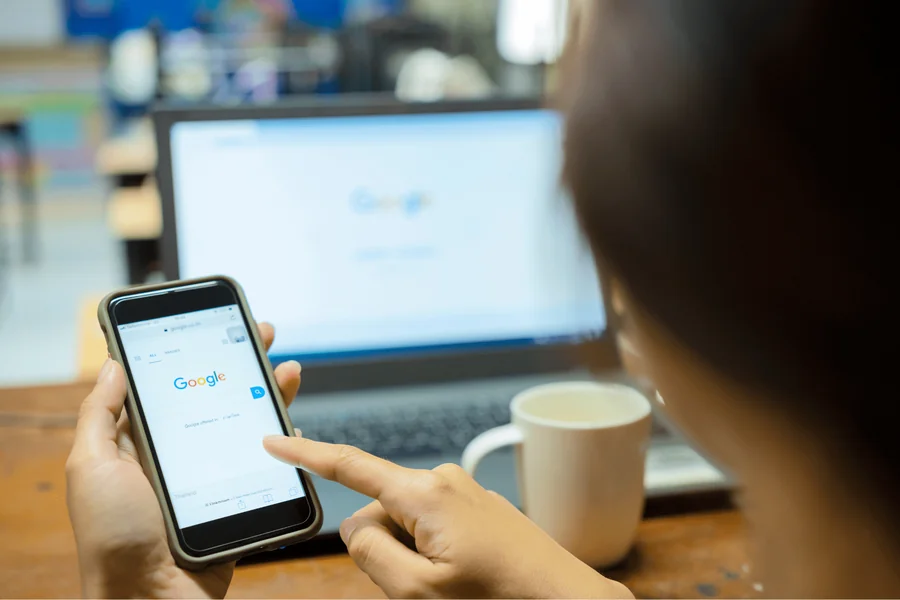
How to hide address on Google My Business is a common question for business owners that work out of their homes or offer a service at other’s locations. Many entrepreneurs have expressed interest in getting the benefits of being listed in Google Search and in Google Maps without having to share their home address with the rest of the world. Google offers some businesses the option to obscure the address but remain visible in local results and knowing how to set this up correctly can help protect your privacy and retain your online presence.
For service providers such as consultants, home cleaners, plumbers, and mobile businesses, displaying an address of a home may be uncomfortable or unsafe. At the same time, a verified Google Business Profile is very important for credibility, reviews, and local SEO. The key is to have your profile set up the right way so your business will be visible but not present your street address.
Understanding Google Business Profile Address Rules
Before understanding how to hide address on Google My Business it is important to know Google’s official rules. Google Business Profile has a distinction between a storefront business or a service area business. Storefront businesses, such as retail shops or restaurants, provide customers with a location to visit and are expected to provide their full address.
Service area businesses travel to customers or give services at their location. Examples include electricians, delivery, mobile pet groomers and home cleaning companies. These businesses can conceal their street address and display a service area such as a city or region.
Even if you don’t make your address public then you need a real address for Google to verify your address. The address will be private but needs to be precise so that it meets the IRS and Google regulations.
Step by Step Instructions for Masking Your Address
To conceal your address on Google My Business, begin by signing in to your Google Business Profile account. If you do not have a listing, create a new listing and enter your business information.
When setting up, Google determines if your customers can come to your business location. Selecting yes will make your address public. To hide it choose no (this means you operate as an area service business).
Next, define the area of your service area. Enter cities, postal codes or areas you provide service. Make sure the service areas represent areas where you really reach, in order to avoid getting in trouble with Google’s guidelines.
If the listing you already have shows a public address, then you can make an edit. Go to your profile settings, go to the location section and take off the option where customers can visit your location. Then set your service areas. Once saved, your street address will be no longer made available to the public, although it will be retained on file by Google, for verification purposes.
Reasons Why Business Owners Hide Their Address
For several reasons, business owners keep their addresses secret. Privacy is the most common. Home-based entrepreneurs may not wish to have unwanted visitors or potential safety problems.
Professionalism – is another factor. Some owners do not wish to disclose a residential property, and the emphasis is placed more on services than on the property.
Finally, there are some businesses that don’t have a location for customer-facing. Mobile and service oriented businesses do not usually receive clients at their base address. Hiding the address will be in line with Google’s policies and we will have a cleaner profile.
Hiding the address doesn’t hurt your ability to rank in your local area, if you get your profile right, though. Service areas, reviews, categories and other SEO elements have a greater role in visibility.
Common Mistakes to Avoid
Many companies make mistakes when concealing an address. One common mistake is using Virtual office or PO box as a public address. Google requires an actual physical space where the business is taking place and virtual offices can be flagged or removed.
Another mistake to be made is to increase the number of fake service areas so as to increase visibility. Google prefers accurate service areas that are an accurate reflection of where your business is really operating. Adding more distant locations may have an impact on credibility and ranking.
Some owners post several listings for a single business, in order to target different cities. This is against Google’s policies unless you have separate physical locations with people in them during business hours.
Following Google’s rules means that you don’t have to worry that your listing will go down and disappear between now and when you want to get your listing up and running without being suspended.
Impact on SEO
Business owners often worry that when they hide an address it is going to hurt a local search ranking. Service area businesses still have the opportunity to rank well if optimized correctly. Google takes into account relevance, distance and prominence when ranking businesses in a local area.
Relevance depends on your category of business, services and profile description. Distance is dependent on your service area and the location of the searcher. Prominence, taking into consideration reviews, ratings, backlinks, and functions overall online reputation.
By hiding your address in a correct manner and optimizing your profile, you can have a strong local visibility. Encourage reviews, maintain consistent business information across directories, post updates and photos regularly and optimize your website for local keywords. Hiding your address is not necessarily a factor that diminishes credibility. Many service area businesses operate successfully without demonstrating a public address and rank well in local search.
Final Thought
How to hide address on Google my business is not only about the privacy of your business, but how your business profile is correctly set up. Service area businesses which won’t service customers at their location can conceal their street address while defining service areas. Following Google’s guidelines, avoiding common mistakes and focusing on local SEO practices, you will be able to protect your personal address while having a perfect online presence. A properly set-up Google Business Profile that ensures visibility, credibility and long-term success without compromise to privacy.
FAQs
How to hide address on Google My Business after verification?
You can edit your business profile, remove the option that allows customers to visit your location, and set service areas instead.
Can I hide my home address on Google Business Profile?
Yes, if you operate as a service area business and do not serve customers at your home location.
Will hiding my address hurt my local ranking?
No, as long as your profile is optimized and follows Google’s guidelines.
Do I still need to provide my address to Google?
Yes, Google requires a real address for verification even if it is hidden from the public.
Can I use a virtual office instead of hiding my address?
No, using a virtual office or PO box may violate Google’s policies and risk suspension.
What type of businesses can hide their address?
Service area businesses that travel to customers or provide services at customer locations can hide their address.
Is it legal to hide my business address on Google?
Yes, if you follow Google’s official guidelines and accurately represent your business type.
Does hiding my address affect customer trust?
No, as long as your business information is accurate, verified, and your service areas are clearly defined.