
Hi3D: Rethinking the Way Creators Design, Refine, and Produce Three-Dimensional Objects
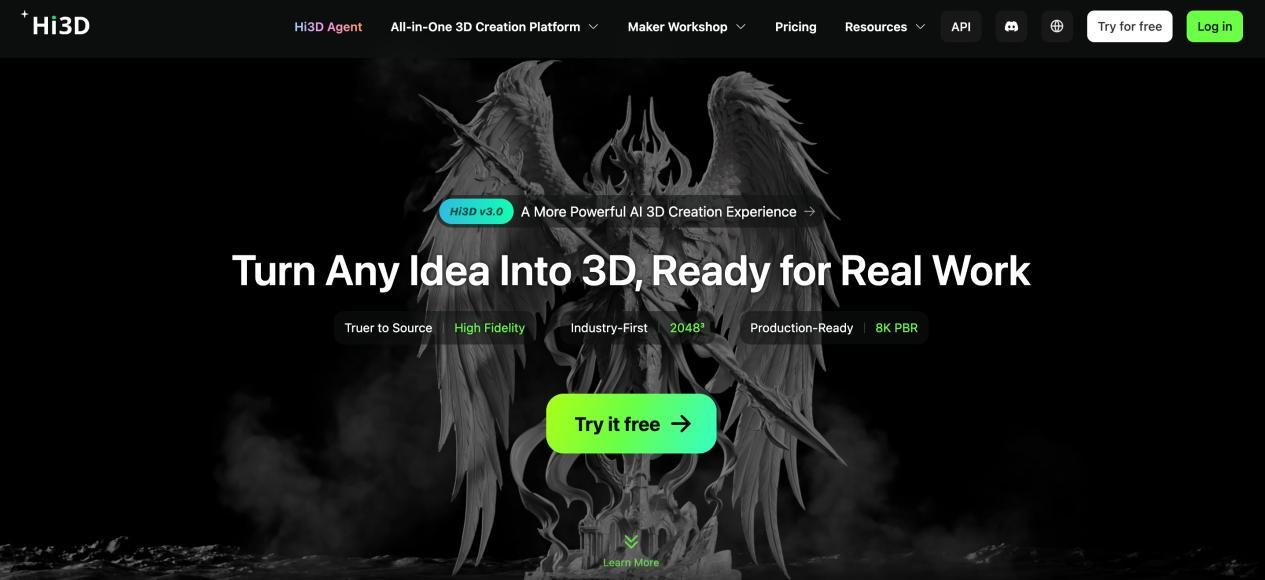
The journey from a creative idea to a finished three-dimensional object involves more than generating a model. Creators must interpret references, adjust shapes, prepare files, and ensure that their designs meet the requirements of their intended applications. These steps can become especially demanding for people who lack professional modeling experience or need to produce assets efficiently. Hi3D offers an AI-powered approach to this process, combining model generation with interactive editing and production-oriented tools. Its goal is to help creators spend less time overcoming technical barriers and more time developing ideas into useful digital and physical creations.
A Different Approach to Digital Design
The traditional modeling process often requires creators to move between several applications, each serving a specific purpose. One tool may be used to create geometry, another to modify surfaces, and another to prepare files for manufacturing. Although this approach offers flexibility, it can make even relatively simple projects time-consuming.
Hi3D provides an alternative as an AI 3D print generator, bringing AI-assisted creation and model processing into a more connected environment. Users can start with an image, generate a three-dimensional asset, and continue refining it through available editing and preparation tools.
This approach is particularly relevant to independent creators, small design teams, hobbyists, and businesses exploring AI-assisted production. Someone designing a collectible, for instance, may not need to master an entire modeling application before producing a first draft. Instead, they can use a reference image to establish the model's overall appearance and then focus on improving the areas that matter most.
Hi3D is not intended to eliminate every stage of professional design. Complex engineering projects, production-grade animation assets, and precision components can still require specialized software and expert review. Its value lies in simplifying selected tasks and making the early stages of three-dimensional creation more approachable.
By reducing the amount of manual work required to establish a starting model, the platform gives users more opportunities to experiment, compare alternatives, and develop their preferred designs.
From Visual Inspiration to Editable Assets
Many creative projects begin with an image rather than a finished three-dimensional design. It might be a hand-drawn character, a photograph of an object, a product concept, or an illustration created with another AI tool. For users looking to turn a photo to 3D model, Hi3D's image-to-3D capabilities help transform these visual references into digital assets.
After uploading a suitable image, users can generate a model that represents the subject's shape and surface appearance. The resulting asset provides a three-dimensional starting point that can be inspected from different angles and prepared for further development.
This process opens up possibilities for creators who want to develop original objects without constructing every surface manually. Artists can explore character designs, makers can create decorative objects, and product teams can investigate visual concepts before committing to a detailed modeling process.
The platform also supports workflows using multiple reference views. This is useful when a single image does not communicate enough information about an object's depth or hidden surfaces. Additional perspectives can help clarify the intended structure, although the accuracy of the result still depends on the quality and consistency of the references.
Hi3D's AI generation technology is designed to reconstruct recognizable forms and surface details, but generated assets should be treated as editable starting points rather than guaranteed final products. Some models may contain inaccurate proportions, incomplete details, or geometry that needs adjustment.
This distinction is important because different applications demand different levels of precision. A model used for an early presentation may need only visual refinement, whereas an object intended for physical production must also satisfy practical manufacturing requirements.
Hi3D Agent and More Natural Model Refinement
Generating a model is only the beginning of a creative process. Users frequently discover that their first result needs adjustments, such as changing an object's appearance, improving a detail, or preparing it for a specific purpose. Hi3D Agent introduces a more conversational approach to these iterative tasks.
Instead of relying exclusively on manual operations, users can describe the changes they want in natural language. This provides an alternative way to communicate design intentions and work toward a preferred result.
For example, a creator developing a decorative character might want to adjust its appearance or make a particular feature more prominent. Describing the desired change can help make the refinement process more intuitive for users who are unfamiliar with traditional modeling terminology.
Natural-language interaction is particularly useful when someone knows what they want to change but does not know which modeling tools or commands would produce the result. It can lower the barrier between having a design idea and taking practical steps toward implementing it.
The approach also supports iterative creation. Rather than treating the first generated model as the final answer, users can evaluate the output, identify areas for improvement, and continue refining the asset.
However, conversational editing does not remove the need for visual inspection. The result should still be checked against the original intention, especially when a project requires specific dimensions, carefully aligned parts, or precise structural details.
By making certain editing tasks easier to communicate, Hi3D Agent helps bring AI assistance into a stage of creation that often requires repeated manual intervention.
Hi3D Studio for Post-Production and Model Editing
A useful digital asset often requires additional work after generation. Its shape may need refinement, its components may need to be separated, or its geometry may need optimization before it can be printed or used elsewhere. Hi3D Studio provides a workspace for handling these post-production tasks.
The environment includes tools for sculpting, modifying geometry, creating bases, managing connections between separate parts, and preparing models for printing. These capabilities help users continue working on an asset without necessarily rebuilding it from scratch in another application.
Sculpting tools can be useful when a model needs localized visual adjustments. Boolean operations provide another way to add or subtract geometry using primitive shapes, making them relevant to designs that require holes, cutouts, or additional structural features.
The base-generation tools help users create support surfaces for suitable objects. A stable base can be useful for figurines, display pieces, and other designs that need to stand upright after printing.
These editing options serve different purposes, but they share a common goal: making it easier to adapt generated geometry to the requirements of a particular project.
The level of control available through an AI-assisted editor will not necessarily match every specialist application. Users working on complex surfaces or technically demanding objects may still benefit from external modeling software. Nevertheless, having common refinement tools available alongside generation can reduce unnecessary switching between applications and make the workflow easier to manage.
Improving Model Quality Before Production
A visually convincing model is not automatically suitable for manufacturing. Holes in a mesh, disconnected surfaces, fragile sections, and unsupported geometry can cause problems when a file enters a production workflow. Hi3D's model-processing capabilities help users address some of these issues before moving forward.
Mesh repair and optimization tools are particularly relevant to three-dimensional printing. They can help identify or correct certain geometry problems and prepare an asset for subsequent processing. The effectiveness of these operations depends on the original model and the nature of the defect, so users should not assume that every issue will be resolved automatically.
Printability also depends on the physical properties of the intended object. A thin decorative feature may look acceptable on a screen but break easily when printed. A large overhang may require supports, while a model with multiple components may need carefully planned connections.
For these reasons, production preparation should be considered part of the design process rather than an afterthought. Reviewing geometry, dimensions, wall thickness, and assembly requirements can help reduce avoidable failures.
Hi3D's production-oriented development is relevant to both individual makers and professional printing operations. Its newer generation technology focuses on improving structural integrity and detail quality, helping generated models move closer to the requirements of actual production.
Even with these improvements, material selection, printer capabilities, and manufacturing tolerances remain important. Users should inspect the model and test the output when reliability or precise assembly matters.
Creating More Flexible Designs Through Model Splitting
Some objects are easier to manufacture when they are divided into separate components. A large model may exceed the available print area, while a complicated shape may be difficult to orient correctly as one piece. Hi3D Studio includes tools for separating models and creating connecting structures to support assembly.
This capability can be useful for figurines, decorative objects, character models, and other designs containing protruding features or complex geometry. Instead of attempting to print the entire object in one operation, users can prepare individual components and assemble them afterward.
Splitting can also make it easier to position parts for printing. A component that would otherwise require extensive supports may be more manageable when printed separately in a different orientation.
Connection structures provide a starting point for aligning components during assembly. Their suitability still depends on the design, material, and manufacturing process. Some joints may require dimensional adjustments, and important connections should be tested before producing a final object.
For creators working with multipart designs, automated assistance can reduce the time spent planning divisions and preparing separate files. It also provides greater flexibility when adapting a generated model to the physical limitations of a particular printer.
Bringing Models into Existing Creative Workflows
No single application meets every requirement of digital production. A model may need to be edited in specialist software, incorporated into an interactive project, or transferred to a manufacturing application. Hi3D supports this flexibility through common export formats and connections to other tools.
Depending on the feature and workflow, users can export assets in formats such as OBJ, GLB, STL, FBX, USDZ, and 3MF. Each format serves a different purpose, so selecting the right one depends on the next stage of the project.
Digital artists may prefer formats that preserve geometry and relevant material information for further editing. Developers may need assets compatible with their existing content pipelines, while makers generally prioritize formats that work well with slicing software.
Hi3D also supports workflows involving popular slicers, including Bambu Studio, OrcaSlicer, and Creality Print. These applications allow users to review the model's placement, configure manufacturing settings, and prepare the file for a compatible printer.
This interoperability is valuable because creators rarely work in isolation. A generated model may pass through several stages of editing and review before it reaches its final destination. Being able to export the asset into an appropriate format helps preserve the flexibility of the wider workflow.
Users should still verify that their selected format retains the information needed for the next application. Texture data, material assignments, and manufacturing settings are not necessarily preserved in the same way across all formats.
Applications for Independent Creators and Small Businesses
AI-assisted modeling can be useful wherever people need to turn visual ideas into three-dimensional assets. Hi3D's combination of generation and post-production tools supports a range of creative and commercial applications.
Independent designers can use it to explore product concepts, decorative objects, and personalized accessories. A preliminary model can help communicate a design direction before more time is invested in detailed refinement.
Makers and hobbyists can develop collectibles, ornaments, miniature objects, and custom gifts. Starting from a personal image or original illustration offers a way to explore designs that may not be available in existing model libraries.
Digital artists may use generated assets as references or starting points for characters and props. Depending on the intended application, these models can then be refined, textured, optimized, or adapted in other creative tools.
Small businesses may also benefit from faster concept exploration. When testing different product appearances, teams can use generated models to compare ideas before committing to more resource-intensive design work. Physical prototypes can then help evaluate the object's proportions, appearance, and basic usability.
For developers building creative services, the Hi3D API provides an integration option for supported AI-powered 3D generation capabilities. This can be relevant to applications that let users create assets from images or incorporate model generation into a broader digital experience.
Across these scenarios, the main advantage is flexibility. The platform can support early experimentation, iterative refinement, and preparation for downstream use, while the amount of additional work depends on the project's complexity.
Extending Digital Design into Physical Creation
Digital models become particularly valuable when they can be transformed into objects that people can handle, display, or use. Hi3D supports this transition by connecting model generation and editing with print-oriented preparation.
Users who own compatible equipment can export their models and continue through their preferred slicing workflow. They can select materials, adjust dimensions, configure print settings, and determine whether the object needs supports or additional preparation.
For people without a printer, Hi3D also offers a printing and delivery service, subject to its current availability and conditions. This provides another route for turning a digital design into a physical item without requiring users to purchase equipment.
The option can be useful for custom gifts, display models, and personal creative projects. A user might develop a design from an illustration, refine the model, and arrange for it to be printed rather than managing the entire manufacturing process independently.
The quality of the final object depends on more than the generated geometry. Materials, surface finish, printing technology, object size, and post-processing all influence the result. Designs with demanding structural requirements may need additional testing before they are suitable for their intended use.
By supporting both digital workflows and physical production, Hi3D gives users several ways to apply their generated models instead of limiting them to on-screen visualization.
Getting Started with a Practical Project
The most effective way to explore an AI modeling platform is to begin with a clearly defined project. Rather than attempting a highly complicated design immediately, users can select an object with recognizable shapes and a straightforward intended use.
Start by preparing a clear reference image. A well-defined subject with minimal obstruction gives the generation system more useful visual information. If the object's sides or rear are important, additional reference views may help communicate its structure.
After generating the model, review its proportions and details. Use the available editing tools to make appropriate adjustments, then consider whether the asset is intended for digital use or physical production. This decision helps determine which export format and preparation steps are necessary.
For printing projects, check the model's geometry and dimensions before sending it to a slicer. For digital applications, confirm that the selected format is compatible with the target software and preserves the information required for further editing.
Hi3D offers a Free plan with limited credits, allowing users to explore selected features before considering a paid subscription. Available credits, processing limits, and access to individual tools can change, so checking the current plan details is advisable before beginning a larger project.
Through AI generation, conversational refinement, integrated editing, and production-oriented tools, Hi3D offers a flexible way to approach three-dimensional design. It helps creators move beyond the initial challenge of building a model and focus on adapting their ideas for the applications that matter to them.