
From Image to 3D Model: How AI Is Changing 3D Content Creation
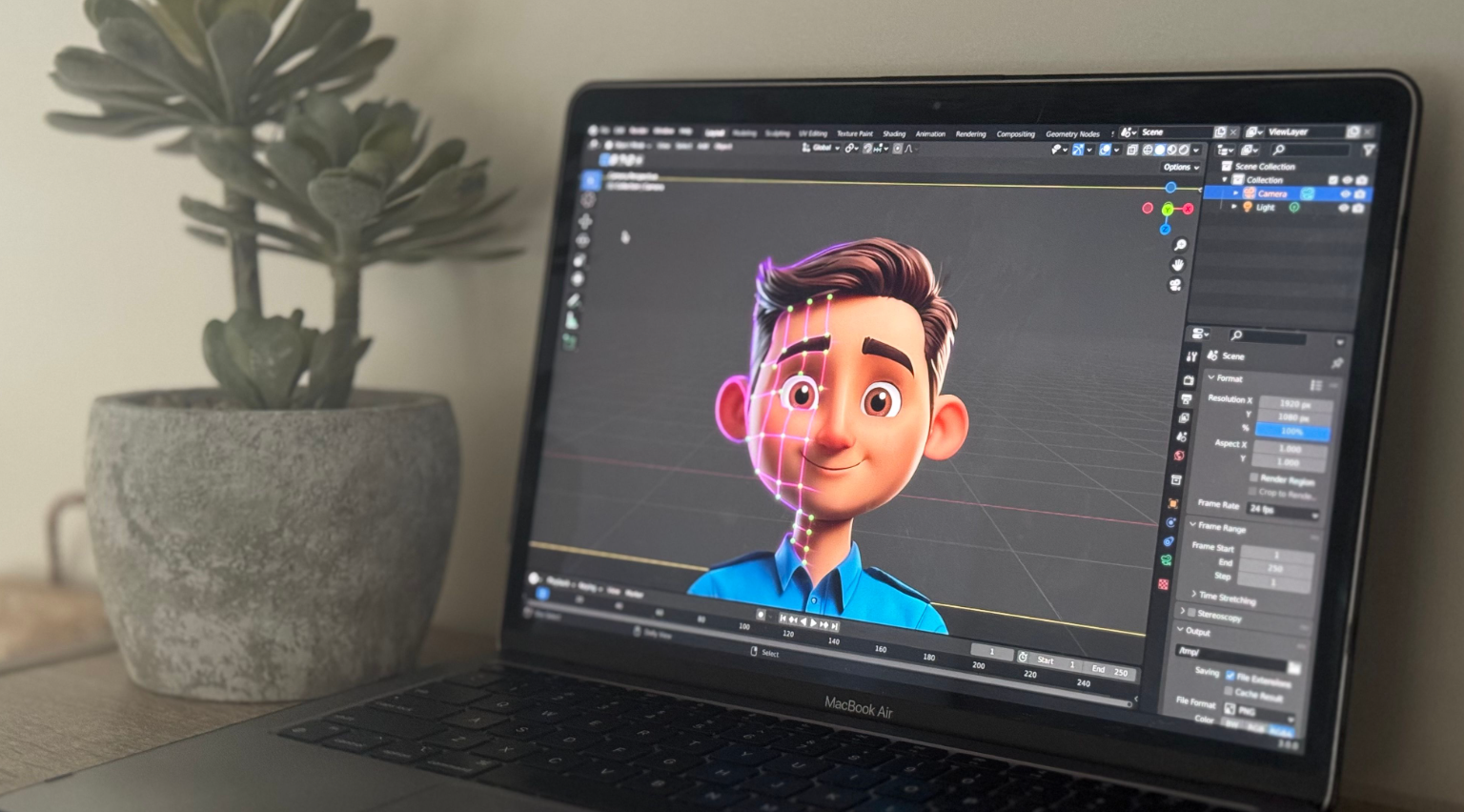
Creating a 3D model used to require specialized software, technical skills, and hours of manual work. Today, AI is making the process much easier. With an Image to 3d tool, users can turn a simple photo, sketch, or concept image into a ready-to-use 3D model in a short time. This technology is useful for game developers, designers, 3D printing enthusiasts, e-commerce businesses, and AR/VR creators.
AI-powered 3D creation platforms are changing how digital assets are made. Instead of starting with an empty 3D workspace, users can provide an image or text description and let AI handle much of the modeling process. The result can then be refined, textured, exported, and used in different creative projects.
What Is AI-Powered 3D Creation?
AI-powered 3D creation uses artificial intelligence to generate three-dimensional objects from information provided by the user. This information can be a written description, a photograph, a drawing, or several images of the same object.
Traditional 3D modeling often requires knowledge of modeling tools, materials, lighting, textures, and geometry. AI reduces much of this manual work by analyzing the input and automatically creating a 3D asset.
For example, a user could upload an image of a chair. Instead of manually building the chair from basic shapes, an AI system can study the image and create a three-dimensional version. The user can then download the model and use it in a game, product concept, animation, virtual environment, or 3D printing project.
How an Image to 3D Tool Works
An image-to-3D system generally follows a simple process. The user uploads an image, and the AI analyzes important visual details such as shape, proportions, surfaces, and colors.
The platform then generates the object's 3D geometry and applies suitable textures. Once the model is created, users can preview it and prepare it for their intended project.
1. Upload an Image
The first step is to provide a clear image of the object. This can be a regular photograph, sketch, or concept image. A clear subject with good visibility usually gives the AI more useful information.
2. Let AI Generate the Model
After the image is uploaded, the AI processes the visual information and creates a three-dimensional model. This can significantly reduce the time needed compared with building the model manually.
3. Review and Refine
Once the model is ready, users can inspect its shape and appearance. Depending on the platform and project, the model can be refined further before being exported.
4. Export the 3D Asset
A finished model can be exported in commonly used formats such as STL, OBJ, GLB, or FBX. These formats make it easier to move assets between different applications and workflows.
Single Image or Multiple Views?
One of the useful features of modern AI 3D creation is the ability to work with different types of visual input.
A single image can be enough when the object is clearly visible. This is convenient when users only have one photograph or concept image available.
Multiple views can provide additional information. For example, photographs taken from the front, side, back, and other angles can help an AI system understand more of an object's overall shape.
This can be particularly helpful for objects with details that are not visible from one angle. Users can choose the approach that fits the information they have available.
Text-to-3D Makes Modeling More Accessible
Images are not the only way to create 3D assets. Text-to-3D technology allows users to describe what they want in ordinary language.
For example, someone might describe a futuristic chair with a metallic frame and a dark seat. The AI can use that description to generate a three-dimensional concept.
An AI 3D Generator can make this process useful for people who have creative ideas but limited traditional modeling experience. Designers can quickly explore different concepts instead of spending hours creating every object from scratch.
Turning Ideas Into Digital Assets
Text-based generation can be especially useful during the early stages of a project. A designer can generate several versions of an object, compare the results, and select a concept worth developing further.
This approach can support brainstorming, prototyping, game development, product visualization, and other creative workflows.
AI Textures Add More Detail
Creating geometry is only one part of making a useful 3D asset. A model also needs materials and textures to look realistic or match a particular visual style.
Modern AI platforms can help automate texture creation as well. AI-generated textures can add surface details such as wood, metal, fabric, plastic, stone, and other materials.
High-resolution texture generation is useful when an asset needs to look detailed in a game, product presentation, virtual environment, or other visual project.
Browser-Based 3D Tools Can Save Time
Another useful development is the availability of browser-based 3D utilities. Users do not always need to install complicated desktop software for basic tasks.
A modern online 3D tool suite can include functions such as file conversion, online model viewing, STL repair, model splitting, and polygon reduction.
These tools can be useful for both beginners and experienced creators. For example, someone preparing a model for 3D printing may need to repair an STL file before sending it to a printer. A browser-based repair tool can make that step more convenient.
Who Can Benefit from AI 3D Generation?
AI 3D creation is not limited to one industry. Different types of users can apply the technology to different tasks.
Game Developers
Game creators need large numbers of digital assets, including characters, buildings, furniture, props, vehicles, and environmental objects. AI can help speed up the early stages of asset creation.
Developers can generate concepts quickly and then refine the models for their specific game.
3D Printing Users
3D printing requires suitable digital models. AI-generated assets can provide starting points for prototypes, decorative objects, product concepts, and other printable designs.
Export options such as STL can also make it easier to move a model into a 3D printing workflow.
Product Designers
Product teams can use AI-generated models to explore ideas before committing significant resources to detailed development.
A designer might create several versions of a product concept and compare their shapes, materials, and overall appearance.
E-Commerce Businesses
Online stores increasingly use 3D content to show products from different angles. Three-dimensional assets can help customers understand the appearance and shape of a product more clearly.
AI can help businesses create digital product assets faster, especially when they have existing product photographs that can be used as input.
AR and VR Creators
Augmented reality and virtual reality projects depend heavily on digital 3D objects. AI generation can help creators build assets for virtual spaces, demonstrations, interactive experiences, and prototypes.
What Makes a Good AI 3D Workflow?
The quality of the final result depends on several factors. Input quality is important, so users should provide clear photographs or detailed prompts whenever possible.
It is also useful to review AI-generated models instead of assuming that the first result will always be perfect. Some projects may require adjustments to geometry, textures, scale, or other details.
Creators should also select the right export format for their intended use. A model prepared for a game may have different requirements from one created for 3D printing.
The Future of 3D Content Creation
AI is likely to make 3D creation increasingly accessible. As the technology develops, users may be able to create more detailed and complex assets through simple conversations, images, and instructions.
Platforms such as Meshy are helping bring these capabilities together by offering text-to-3D and image-to-3D generation, AI texture creation, and browser-based 3D utilities in one ecosystem. Its tools are designed to support workflows ranging from digital content creation to 3D printing.
The combination of AI generation and hardware integrations also creates opportunities to move from a digital idea to a physical object. A creator can develop a concept digitally, refine it, and prepare it for production or printing.
Conclusion
AI is changing 3D content creation by making modeling faster and easier to access. An image can become a three-dimensional asset, while a simple text description can become a starting point for a new design. AI-generated textures and browser-based utilities can further reduce the amount of manual work involved.
For game developers, product designers, e-commerce teams, 3D printing users, and AR/VR creators, these tools can provide a practical way to experiment with ideas and create digital assets more efficiently.
As AI technology continues to improve, 3D creation is likely to become less dependent on complicated workflows and more accessible to people with different levels of technical experience. The future of 3D design may not be about replacing human creativity, but about giving creators faster tools to turn their ideas into something they can see, edit, share, and use.